Early Access Coming Soon · v0.2

Your entire AV system.
Every channel.
Searchable.

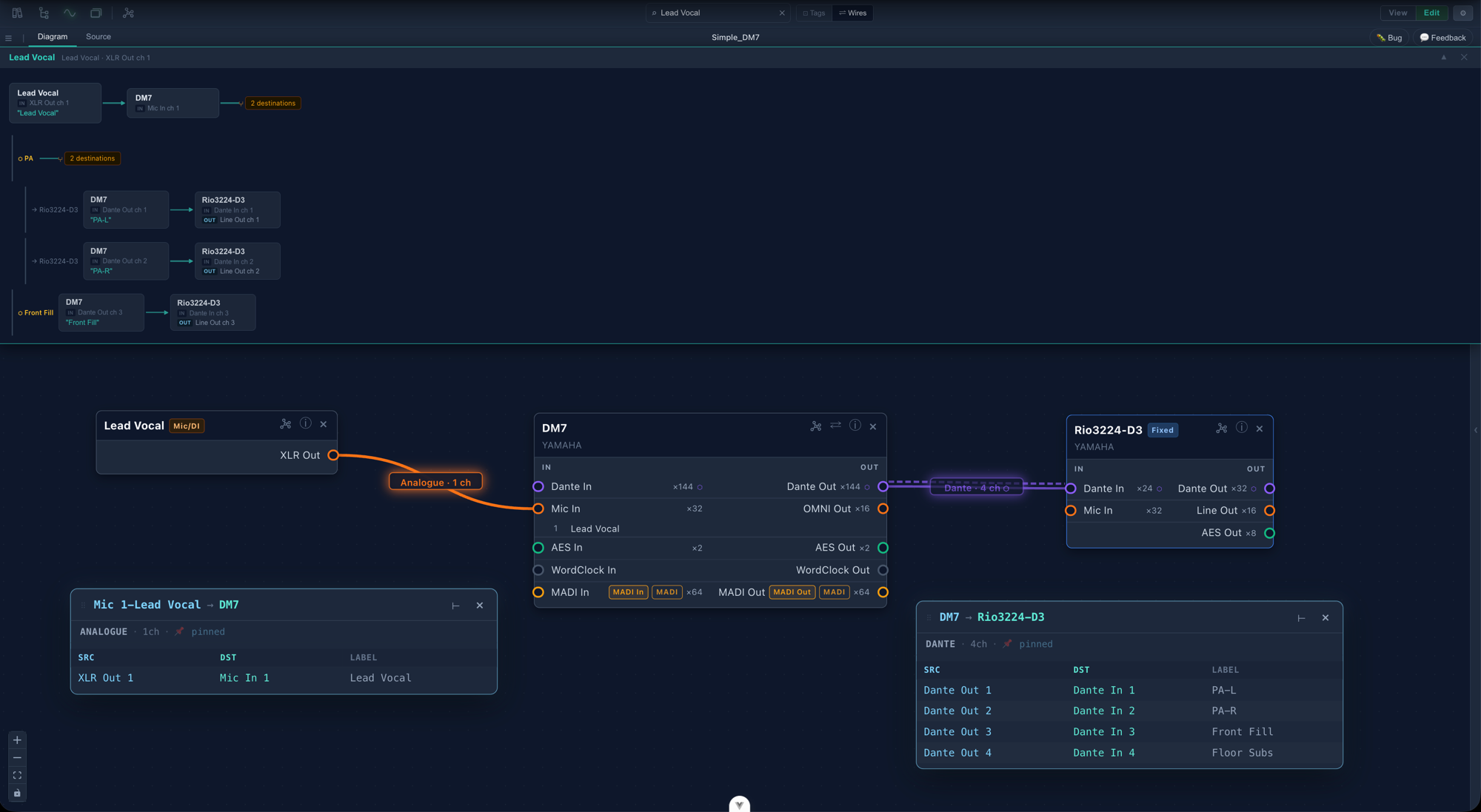
SignalCanvas maps signal flow through complex modern AV systems — then lets you search it, trace it, and export it as a full patch book your team can actually use. View connections as labelled tags or live wires, and switch between them instantly.

Join the Discord App — coming soon

A living, searchable schematic, not a dead drawing — built for audio and video project managers.
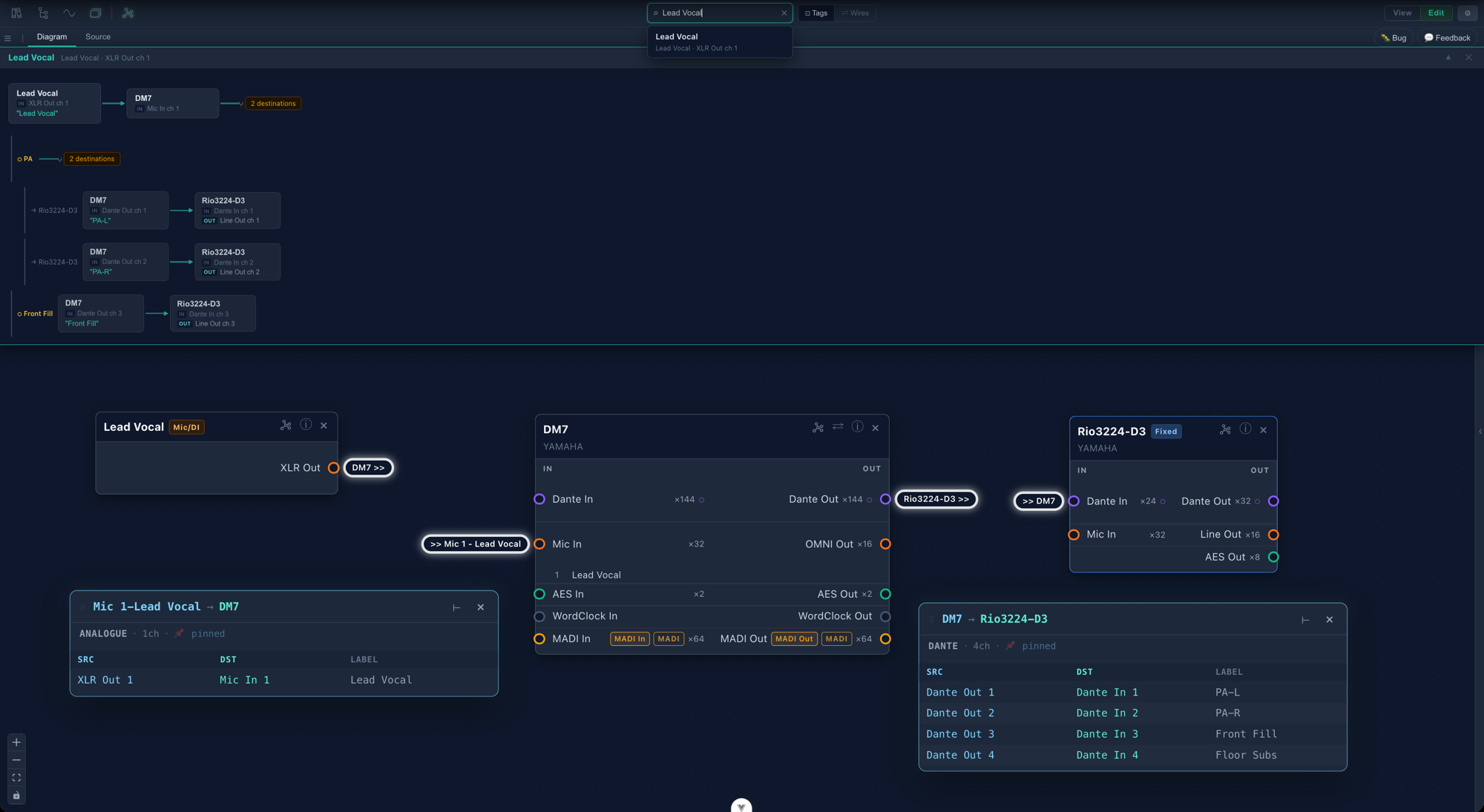
Signal trace in Tags mode — connections shown as labelled chips

The Problem

The way we've always done it isn't working anymore

Managing a complex AV system means maintaining multiple spreadsheets — inputs, outputs, RF, mic inventory — full of formulas referencing each other that break the moment anyone tries to update anything. No way to search across them, no way to see the whole picture at once.

When something changes, every document needs updating. When a new tech joins the team, there's no single place to send them.

Often the plan for the system lives in one person's head. Clear documentation lets the whole crew collaborate — and means the show doesn't stop when that person isn't there.

SignalCanvas replaces the spreadsheet stack with a searchable schematic, cluster diagrams, and automated reports — so every technician on your team can understand the system architecture from the same source of truth.

See how it works
Why now

The way we build systems has changed.
The way we document them needs to.

Traditional schematic tools were built for a world where one cable carried one channel to one destination.

In today's AV systems, a single cable carries hundreds of channels going to multiple logical destinations simultaneously. SignalCanvas was built to bridge that gap — a documentation tool that understands modern networked audio and video at the channel level, not just the wire level.

"To troubleshoot a system, you have to start by knowing how it's supposed to work. SignalCanvas puts the System Architects' vision into the hands of the technicians."


What it does

Three views. One source of truth.

Document your system once. Then view it as a detailed schematic, a high-level network topology, or a ready-to-export patch book — all searchable, all from the same project.

Schematic View

Document every channel. Find anything instantly.

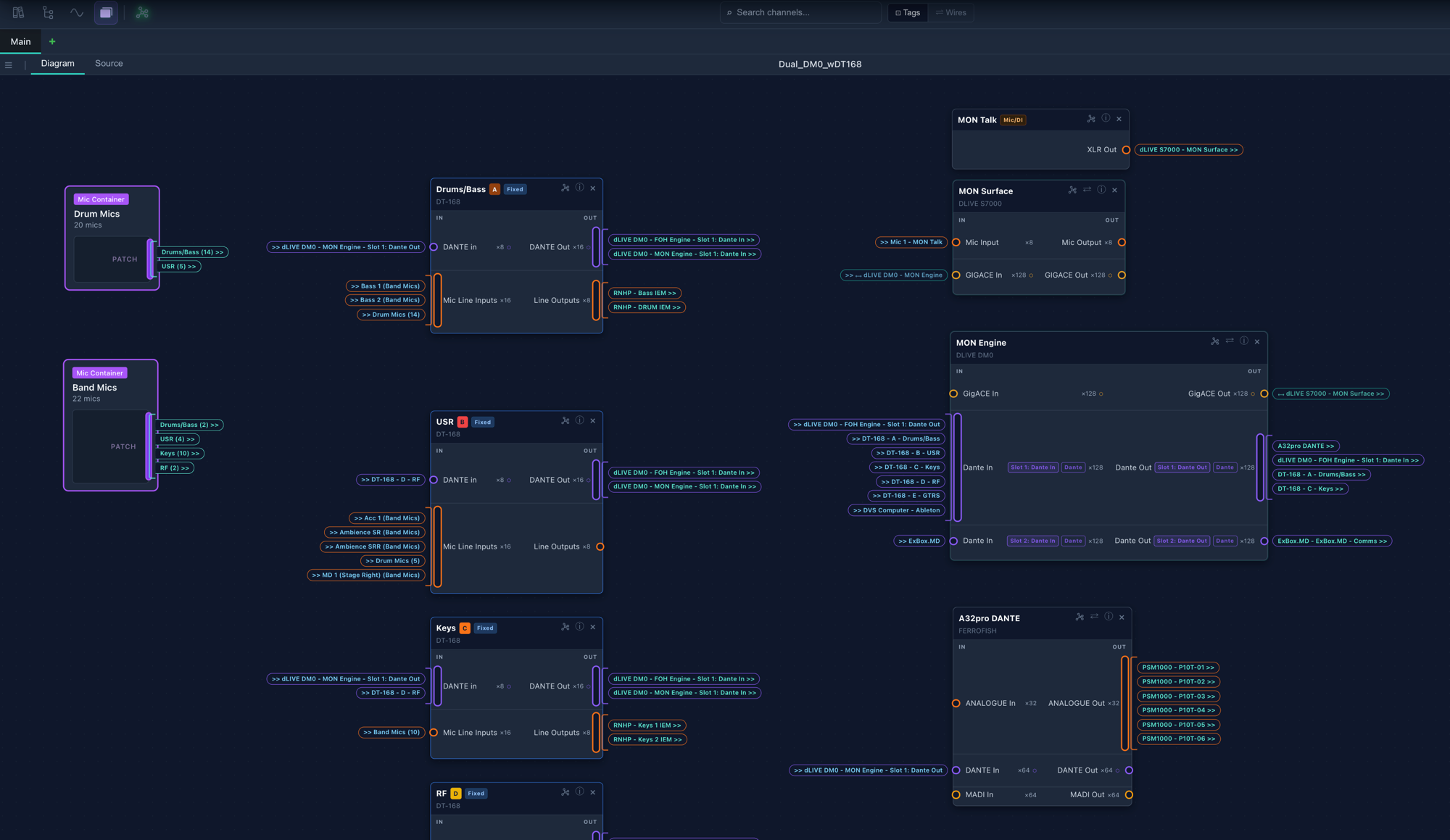
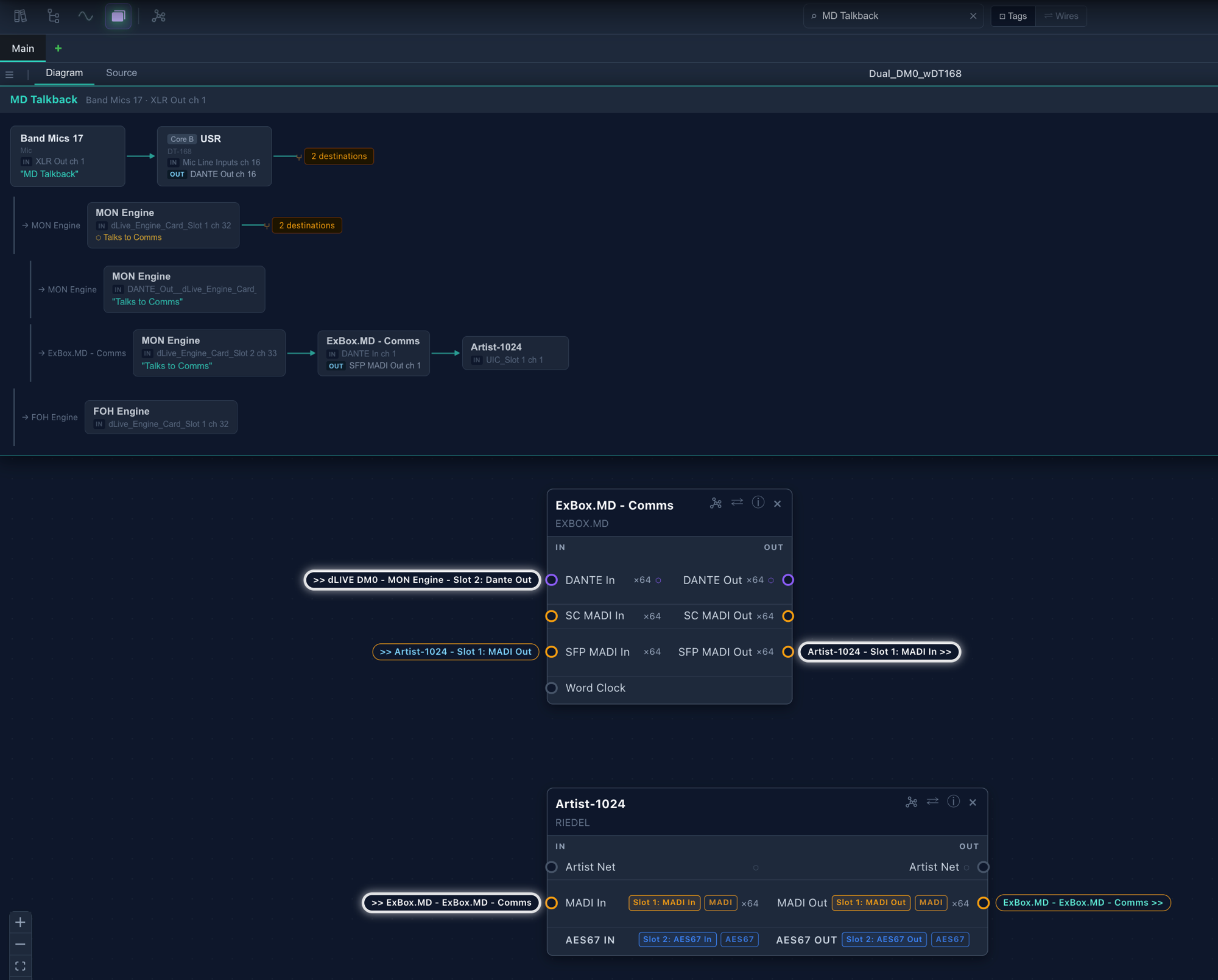
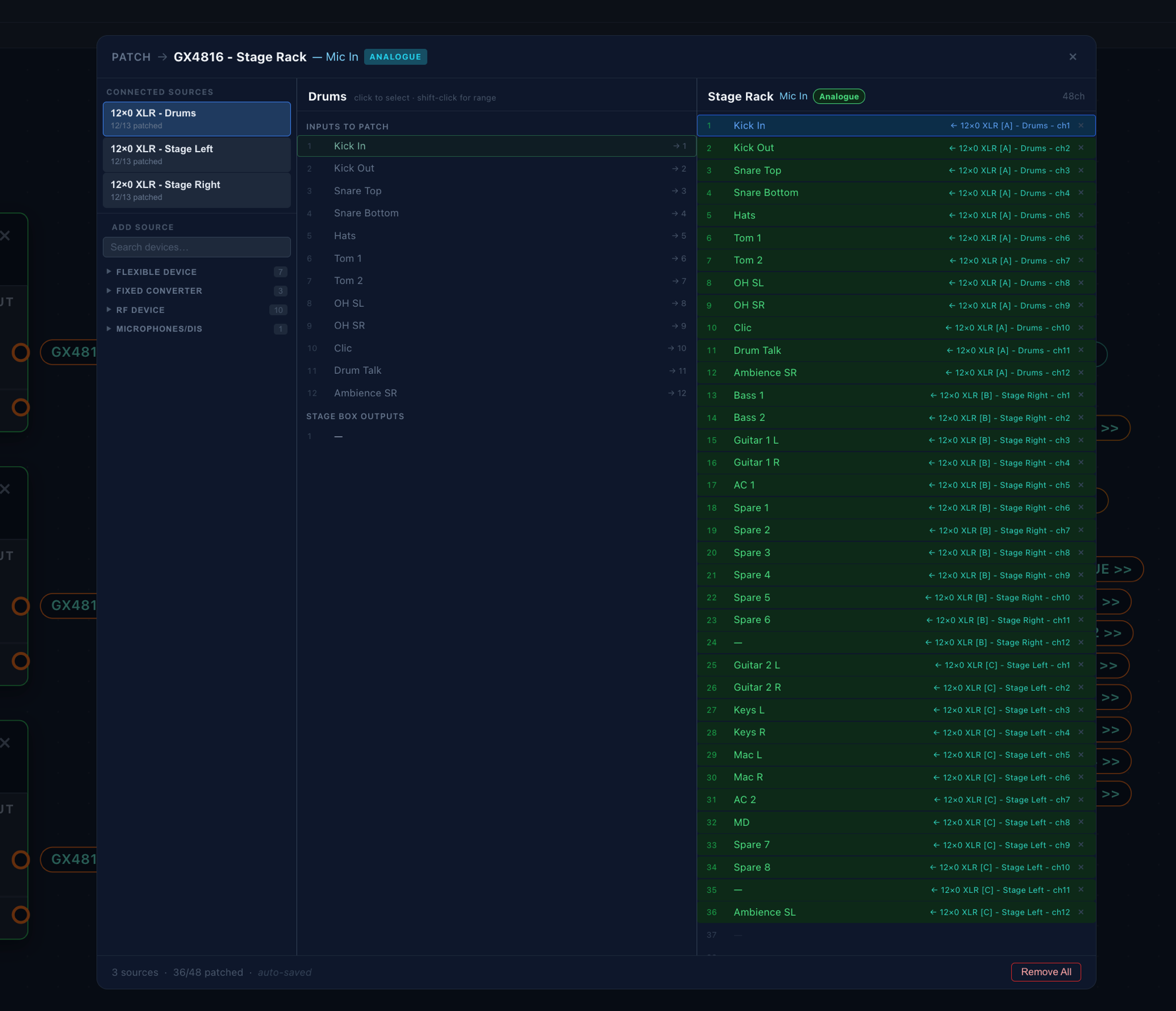
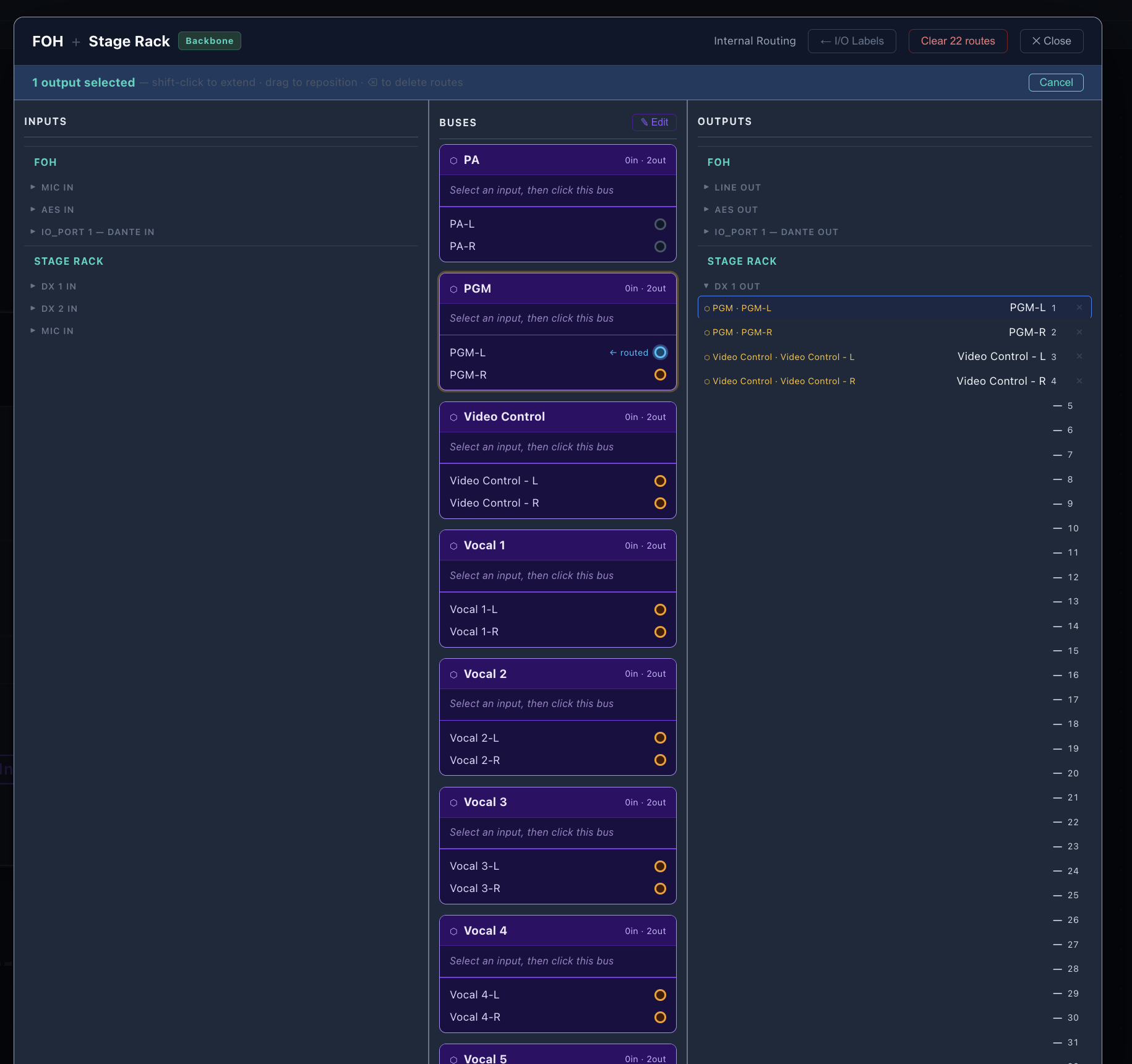
The SignalCanvas schematic maps every device in your system and every channel that flows through it. Inputs, outputs, expansions, stream names, channel labels — all in one place. Search your entire system by channel name, device, or signal path and see exactly where it goes. Click a result to jump straight to that device on the canvas. Click a connection tag and both sides glow. Double-click a tag or wire to see every channel inside it — pin the popup to the canvas or dock it to the side. Patch audio channels between devices using the patch window. Route audio inside a device using the internal routing window.

SignalCanvas schematic view — device cards with channel labels, connections visible
SignalCanvas search — MD Talkback traced through a complex multi-device signal path SignalCanvas — double-click a tag to see all channels, pinned or docked to the side
SignalCanvas patch window — routing mic inputs from stage rack to console SignalCanvas internal bus router — input to bus to output routing matrix

Cluster View

See your whole system at a glance.

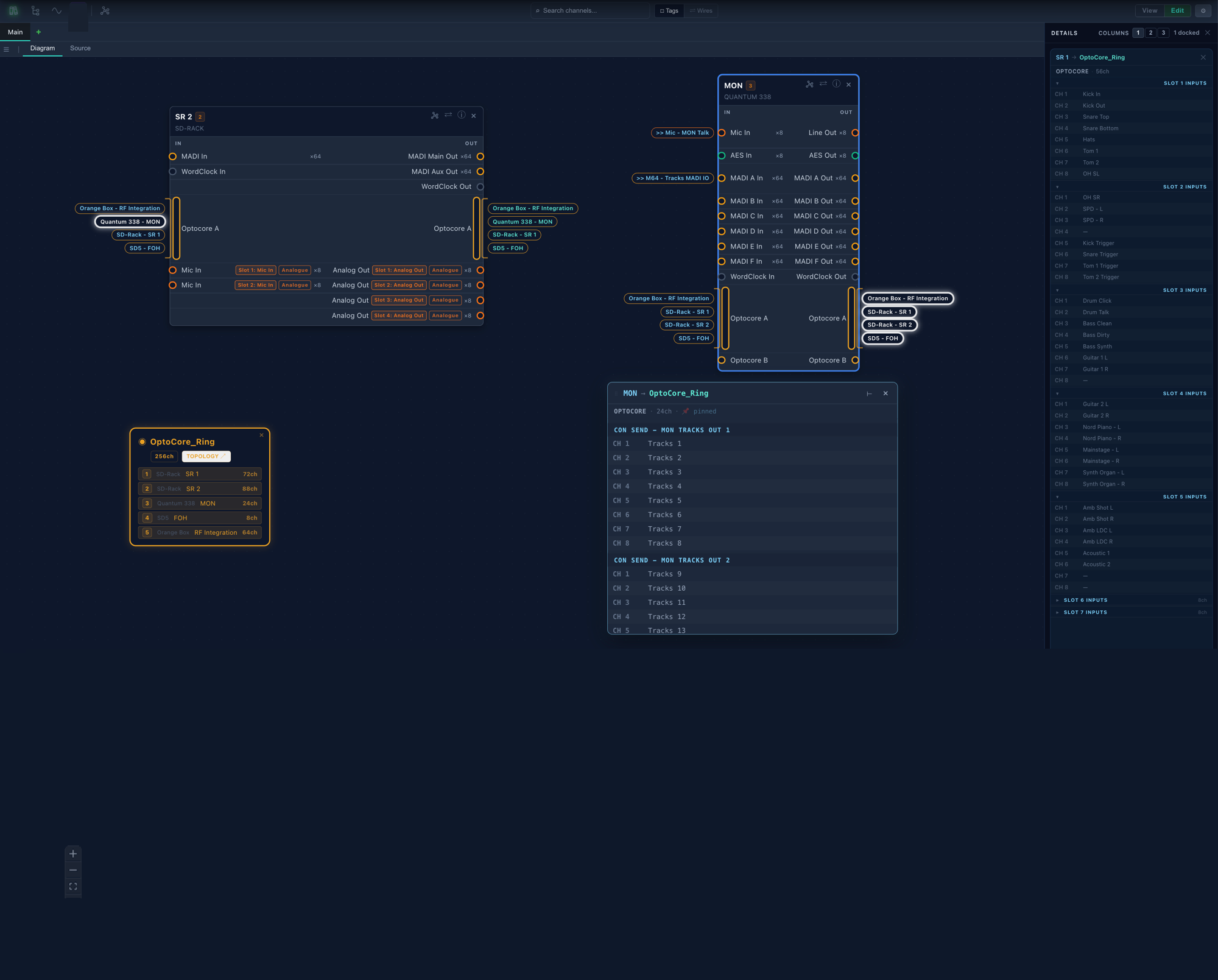
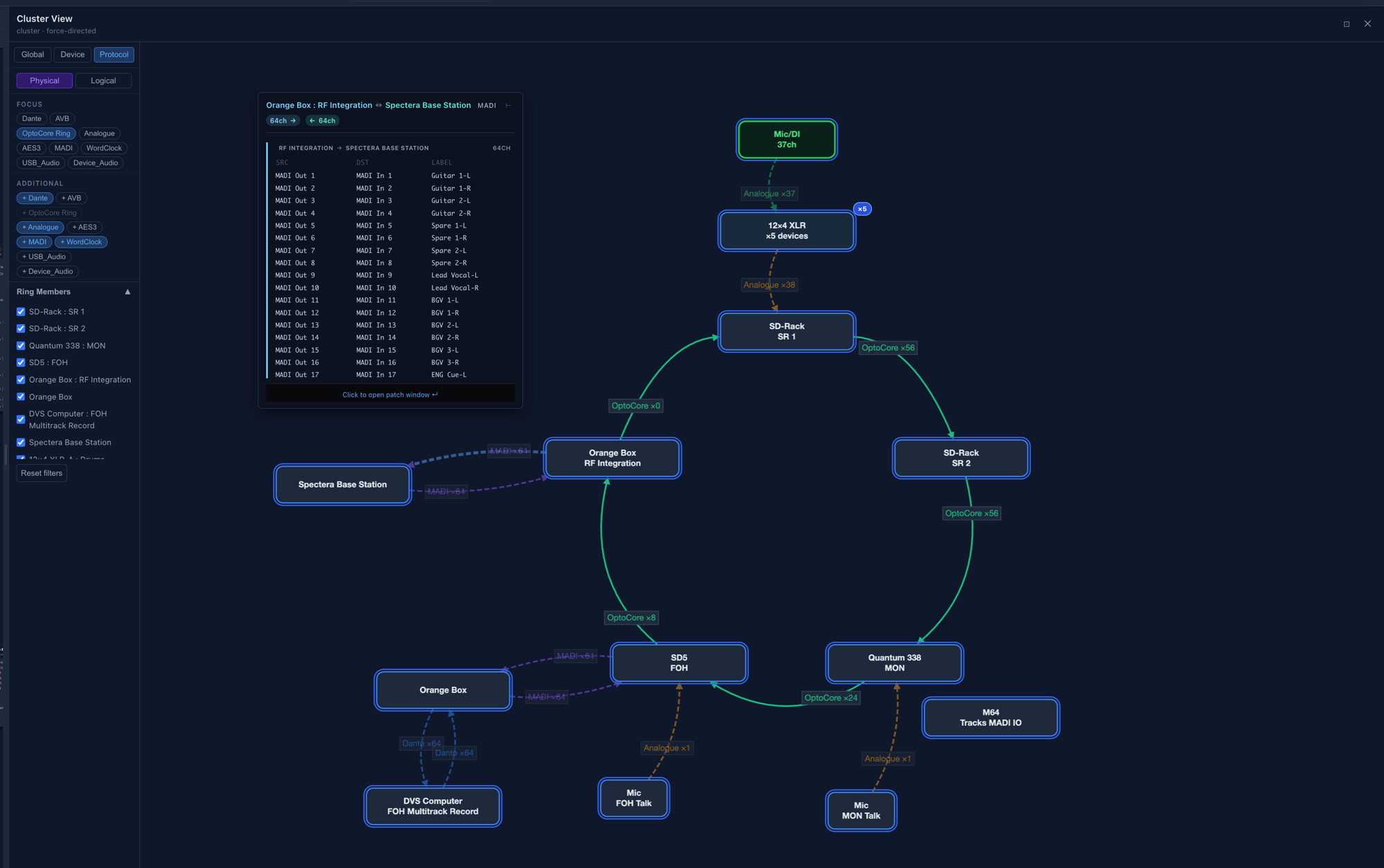
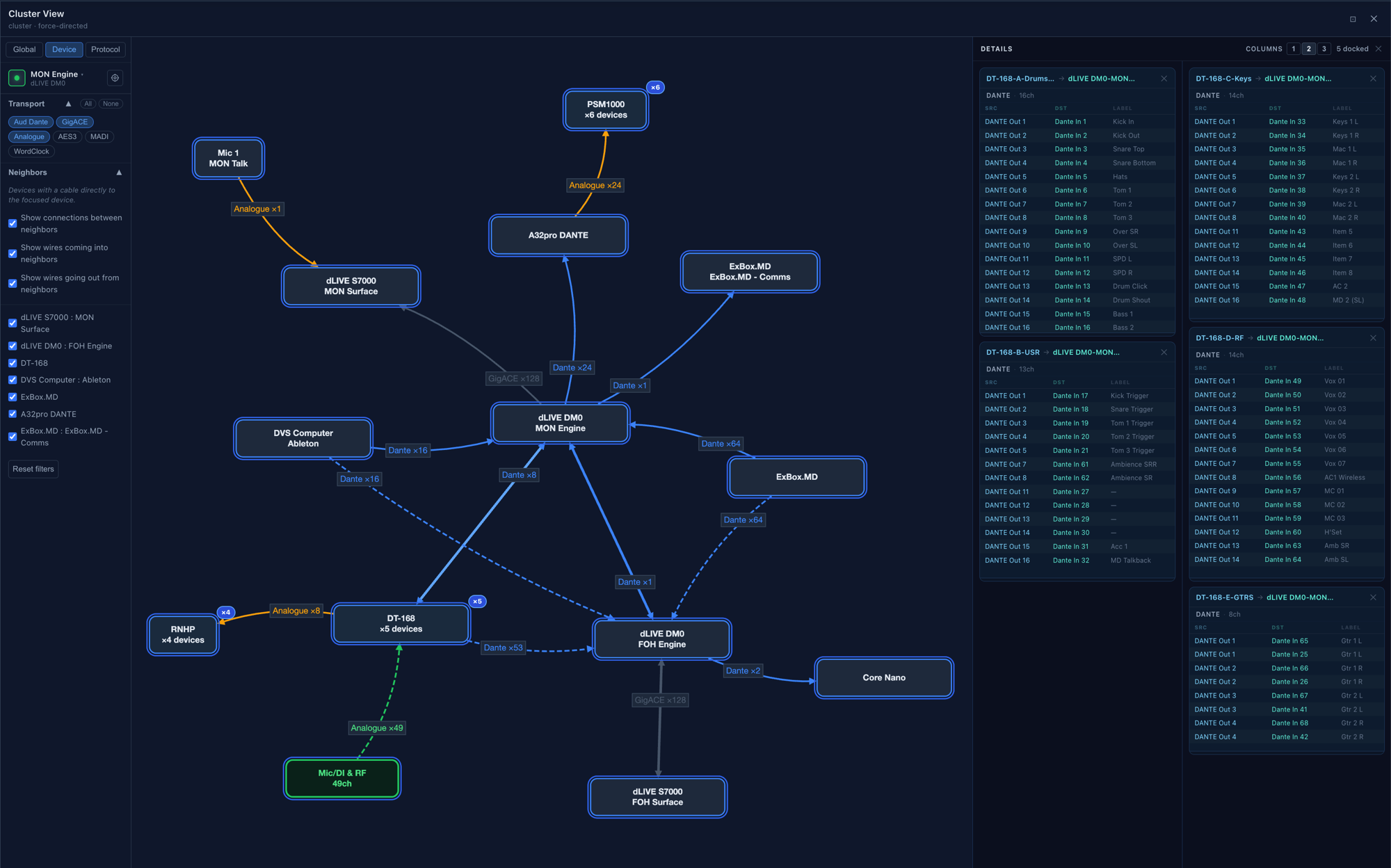
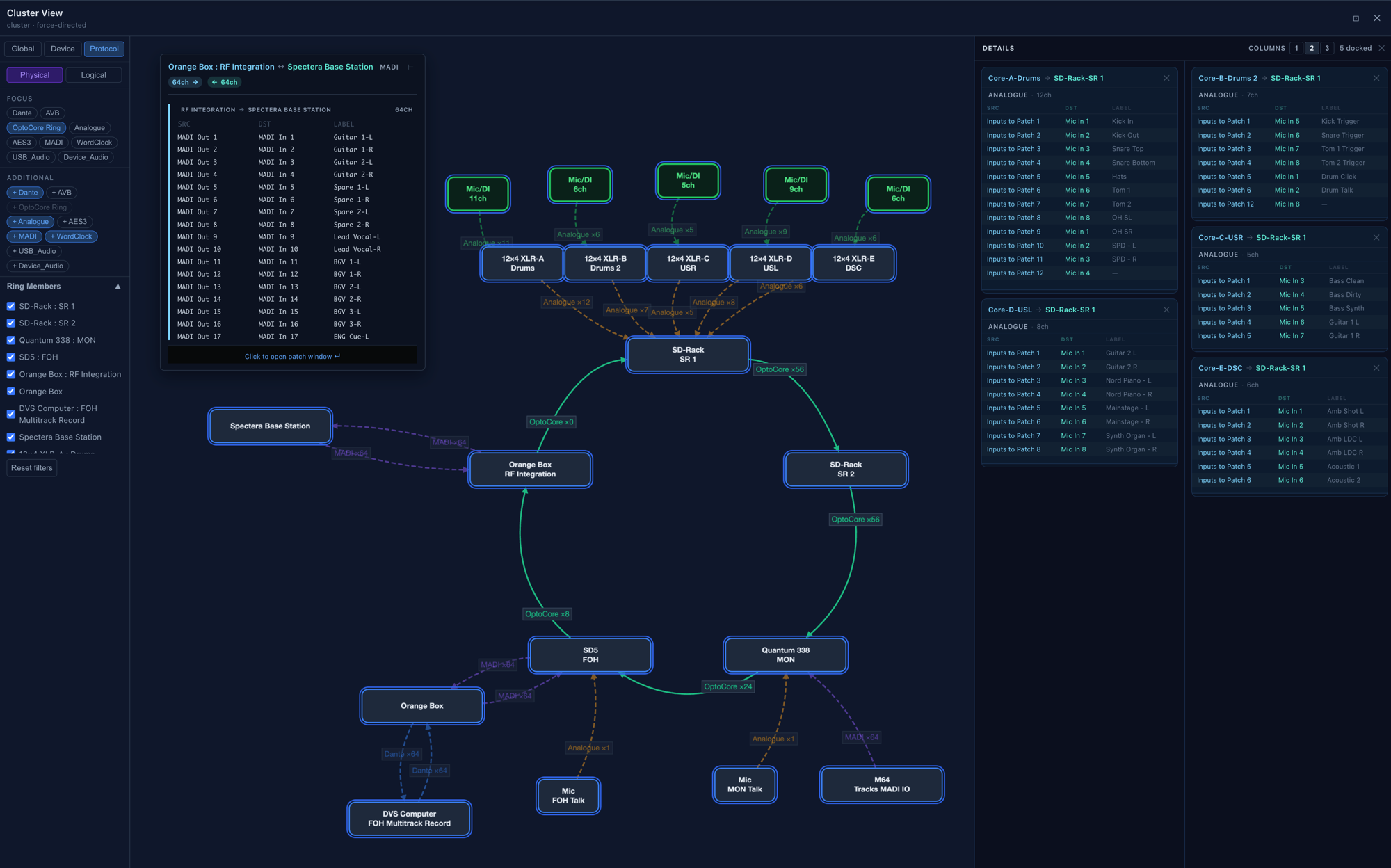
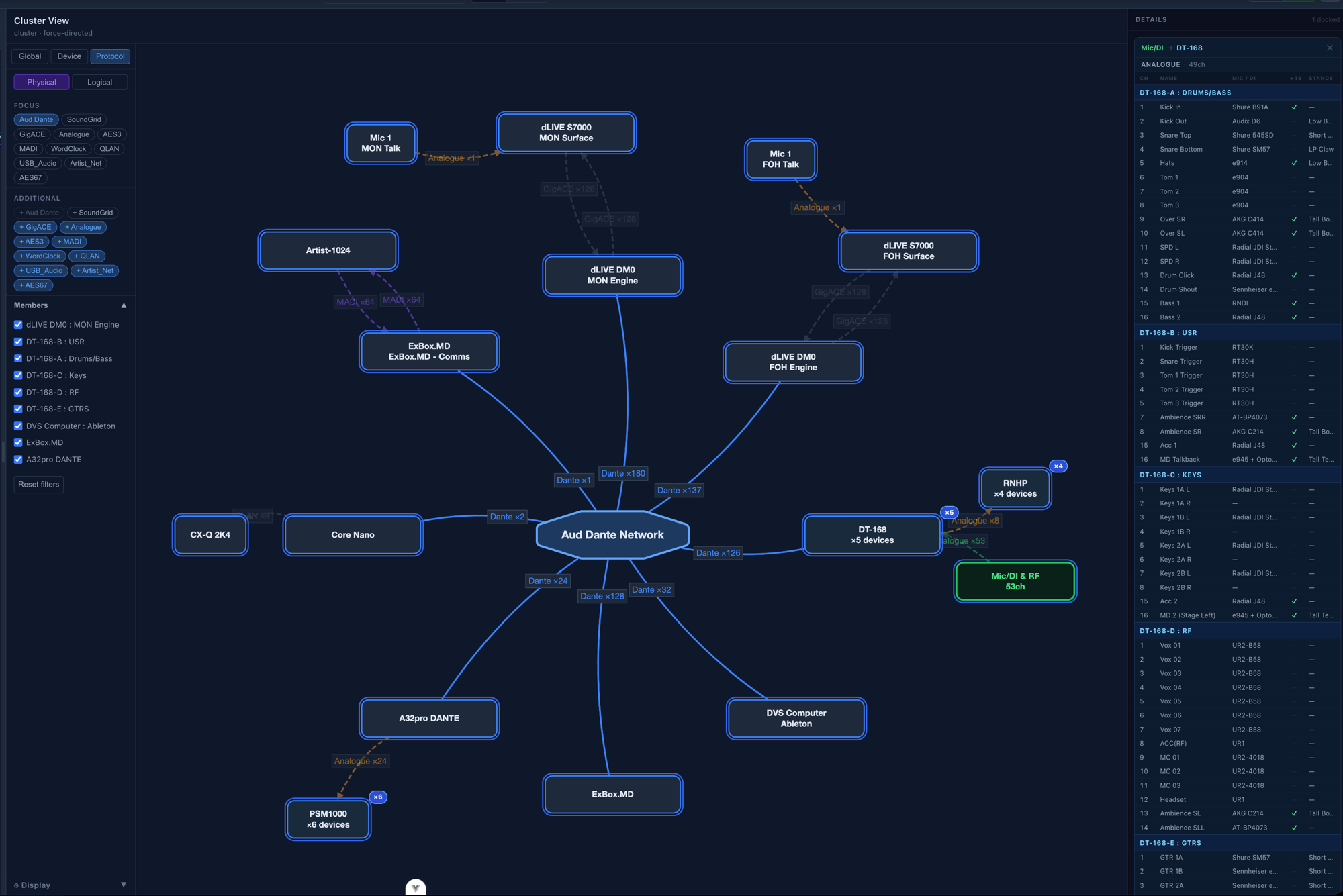
Click the cluster button and see your system as a cluster of connected hardware. Cluster view collapses all connections between devices into weighted edges by protocol, so you can instantly see how many channels flow between various pieces of equipment. Filter your entire system by protocol, focus on one device and see all of its neighbours, or switch between physical and logical views. Collapse multiple duplicate devices into a single card, or open them up to see each device individually. Click on a wire to get a popup of the audio channels in that wire — pin it to the sidebar or view it on the canvas.

Cluster view — physical mode showing OptoCore ring topology with connection popup
Cluster view — device mode with dLIVE DM0 MON Engine at center and all neighbours Cluster view — protocol mode with full channel details panel open
Cluster view — physical Dante network with mic input details panel

Reports

One click. Full patch book.

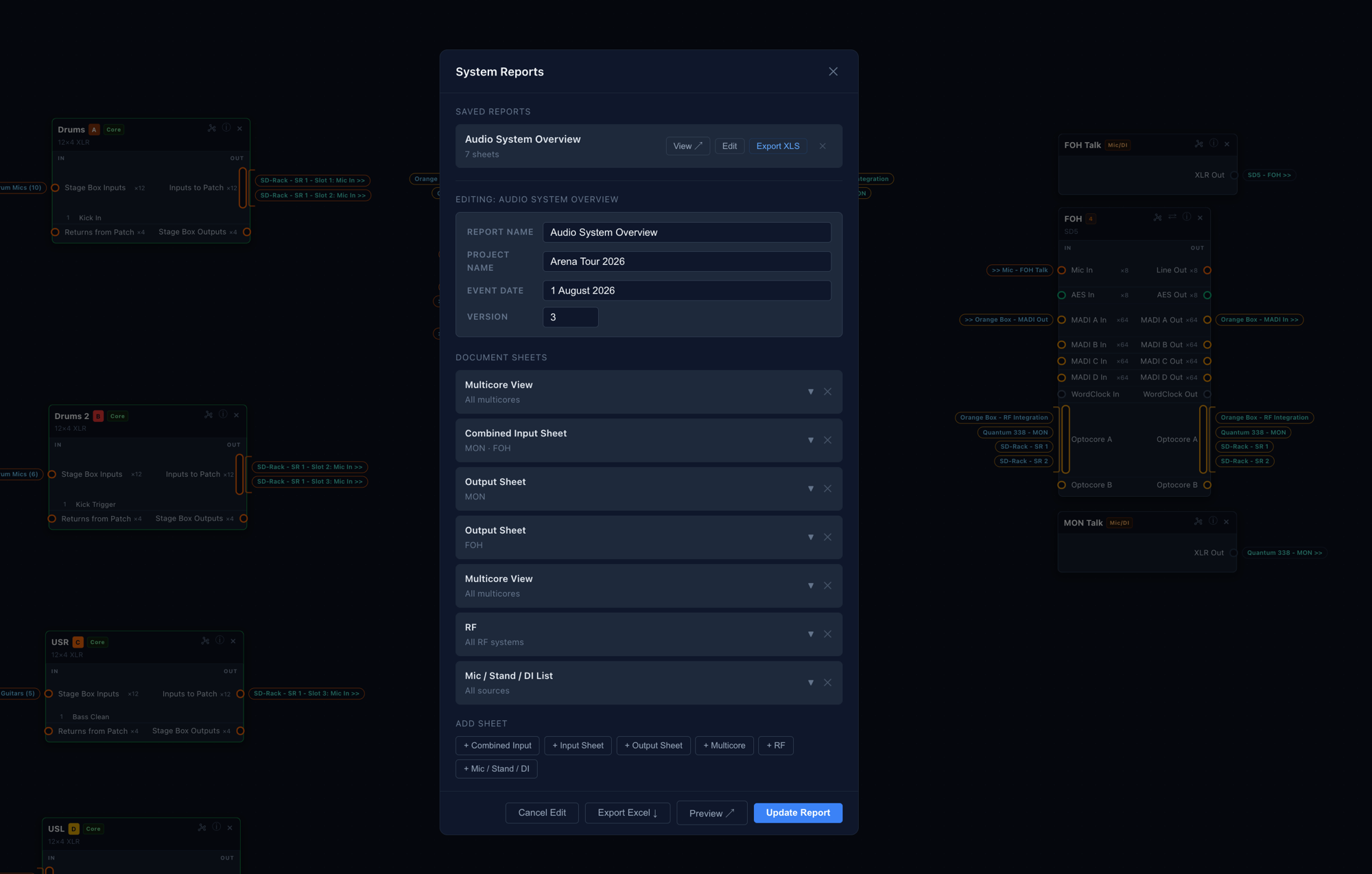
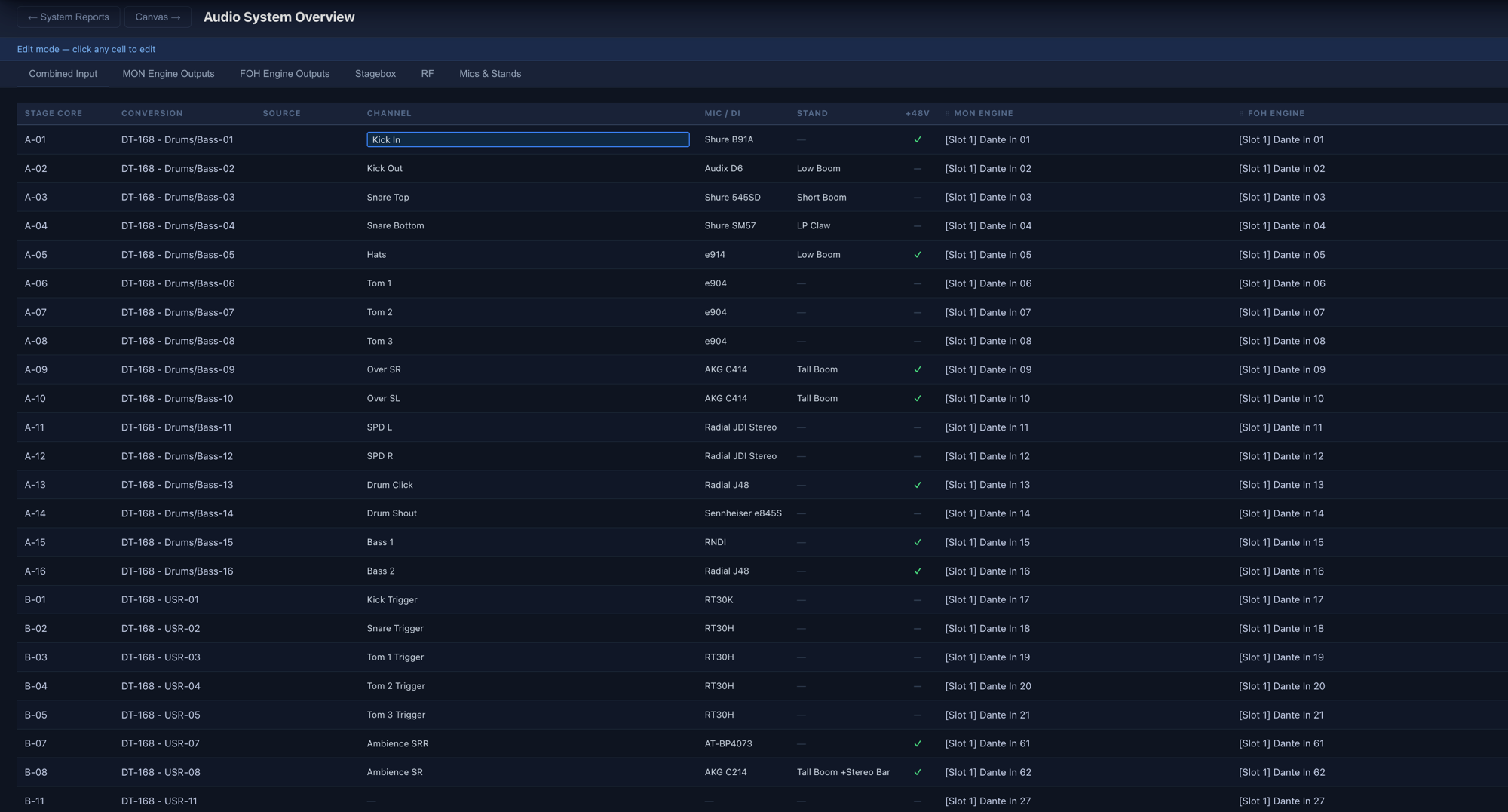
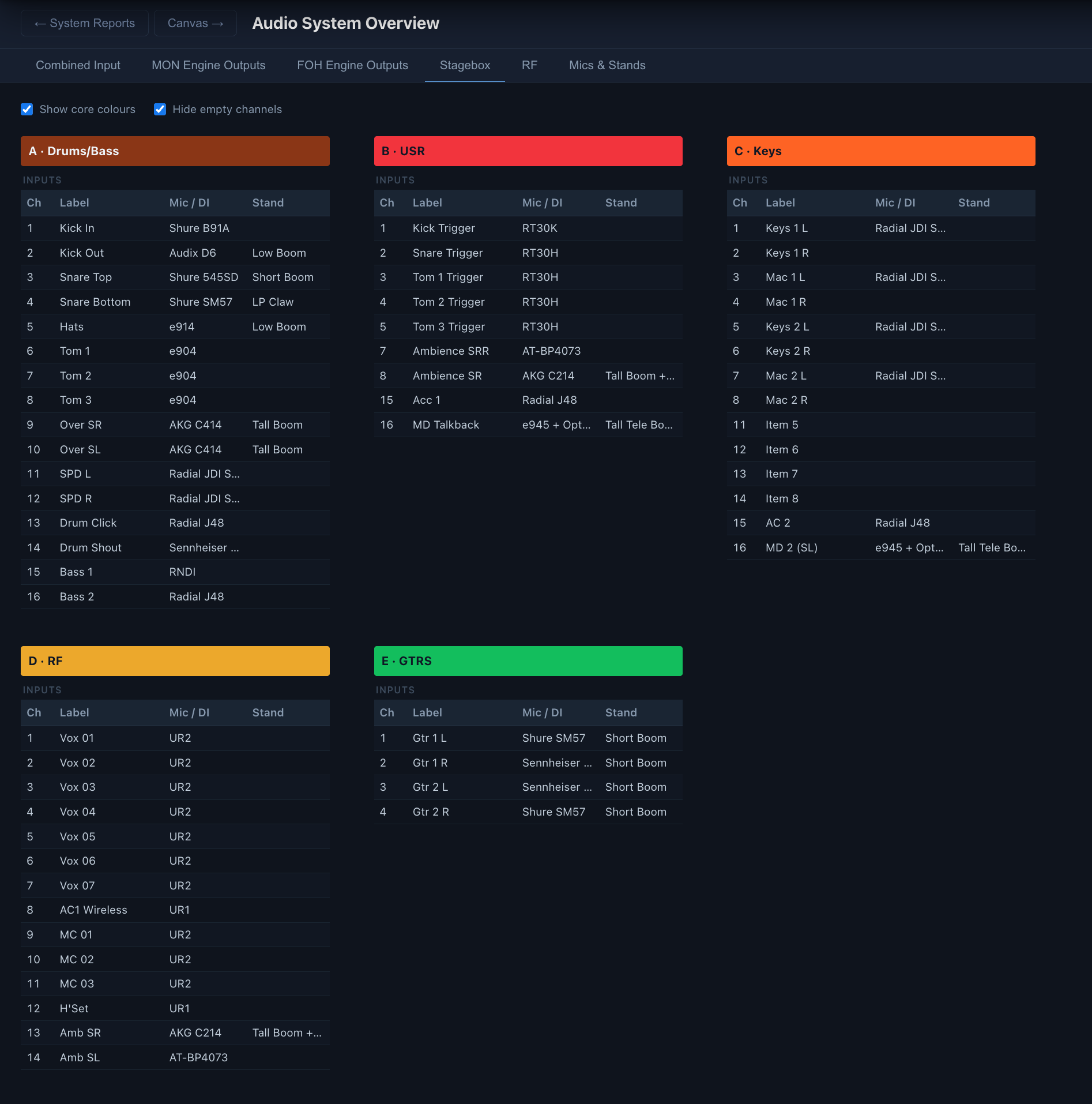
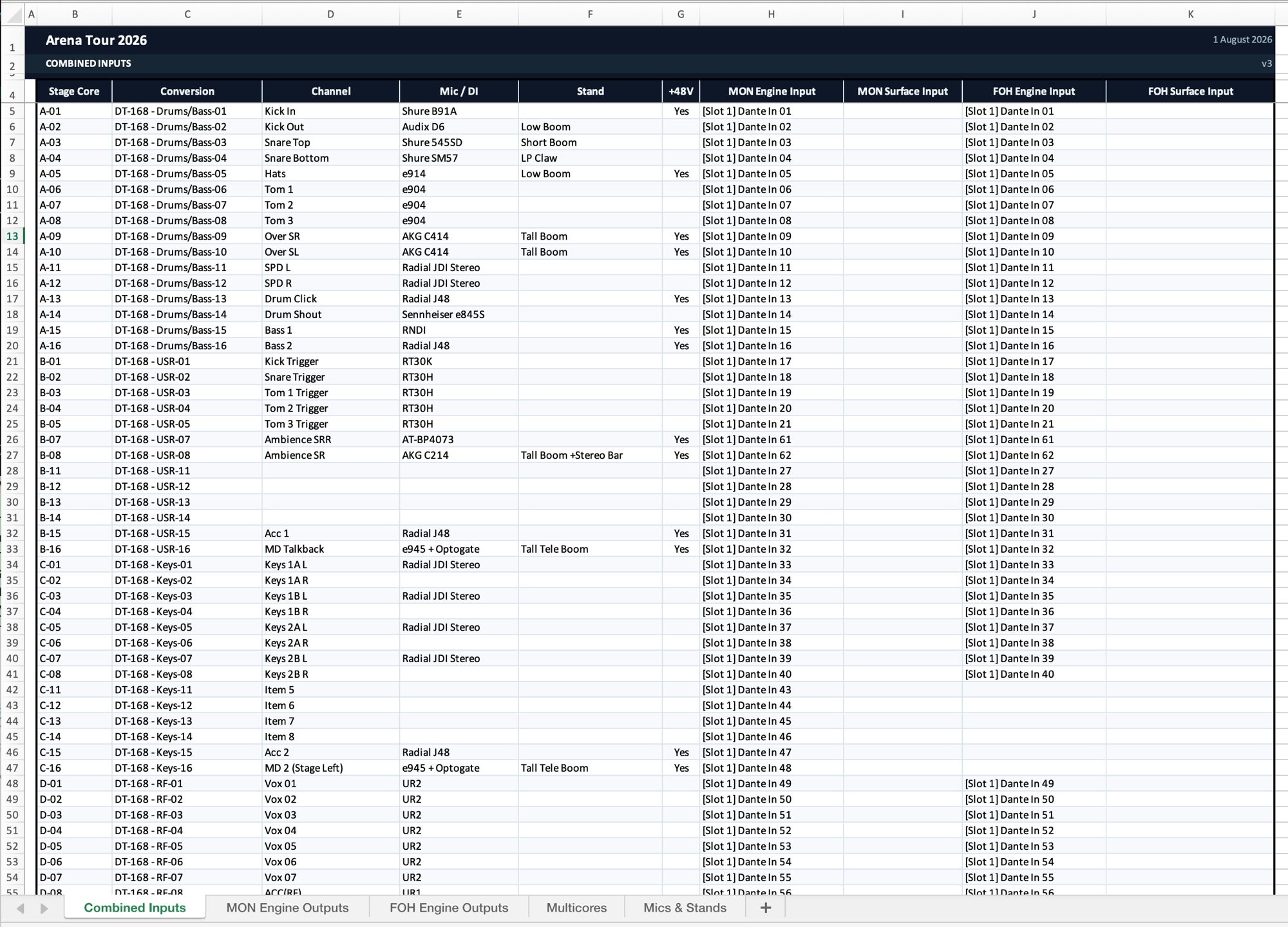
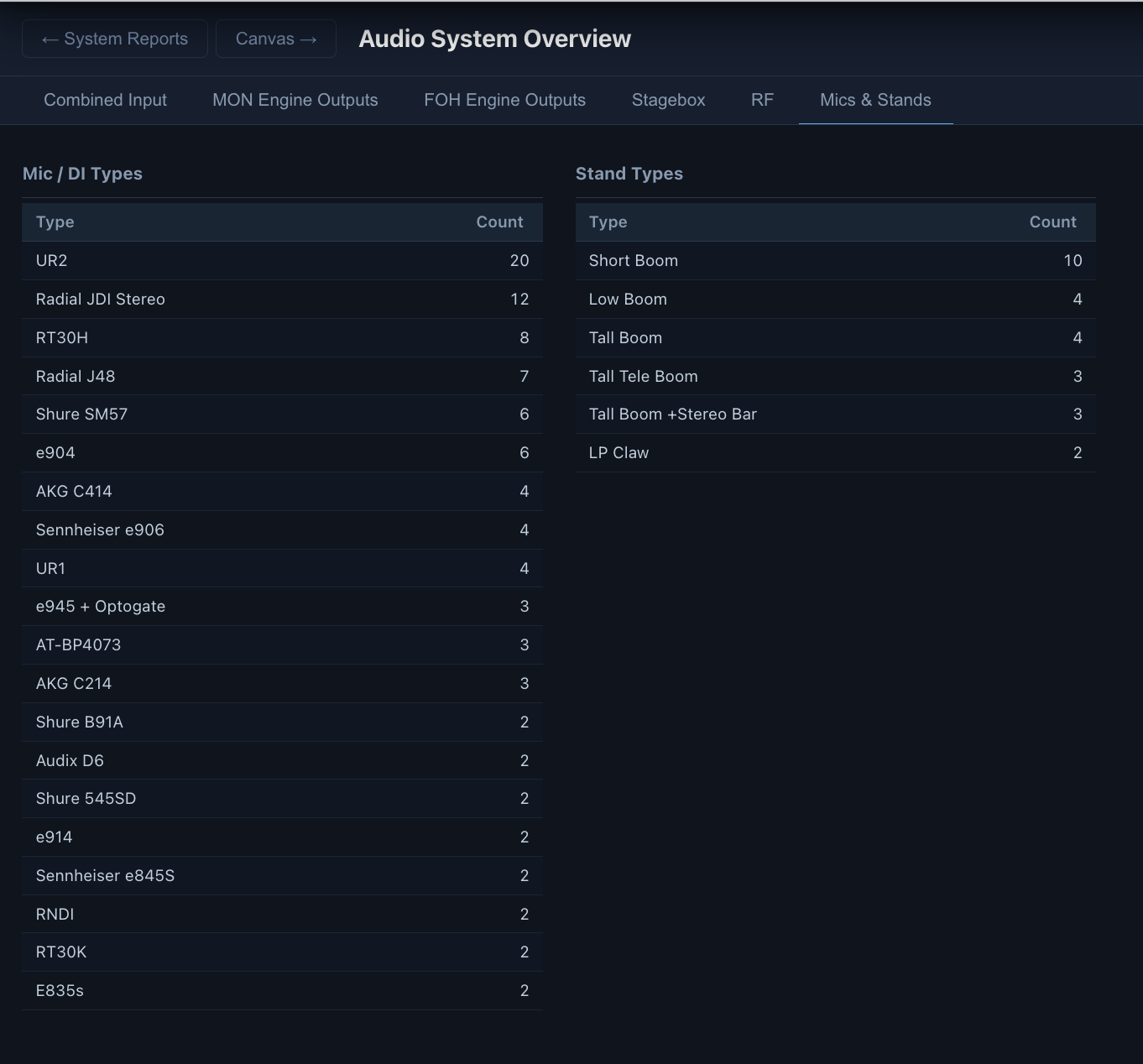
Generate a multi-tab Excel workbook directly from your schematic — input list, output list, RF sheet, mic and stand inventory. SignalCanvas traces every signal chain automatically, so your combined input sheet shows the full path from mic to console without any manual counting. Hand it to your A2. It's already right.

System Reports builder — Audio System Overview with 7 document sheets configured
System Report — combined input patch sheet with mic, DI, stand, and console routing columns System Report — stagebox multicore overview showing inputs by core colour
System Report exported to Excel — Combined Inputs tab with full signal path System Report — Mics & Stands tab showing mic types and stand counts
Under the Hood

Built on a format that works as hard as you do

Under the hood, SignalCanvas stores your system as plain text — a human-readable description language that engineers can read, version-control in git, and that AI assistants can generate.

Your documentation is never locked in a proprietary format. It's text. It travels.

PatchLang · Human-readable DSL

# Main vocal mic chain
device "Mic 3 — Lead Vocal" {
  type: mic
  model: "SM58"
}

patch "Mic 3 — Lead Vocal""Stage Left Rack"[ch 3]
  → "DiGiCo SD7"[input 3]
  → "Main L/R PA"

On the Roadmap

Where we're headed

SignalCanvas is growing with the needs of modern production teams. Here's what's coming next.

Coming soon

Live System Audit

Scan your network or pull in console files and presets. Compare what's documented against what's actually in the system — across IP, analogue, and digital infrastructure. SignalCanvas flags the drift so your docs stay true to the system.

Coming soon

Clock Documentation

Document clocking relationships across your audio and video system — word clock, video sync, and the handoffs between them.

Coming soon

AV Embedding & De-embedding

Trace audio signals as they enter and leave video streams. Full documentation from the source mic to the embedded audio in the video feed and back out again.

Coming soon

Mobile View

A mobile-friendly view built for stage techs. Everything they need to patch stage, in their pocket.

Coming soon

More Physical Layer Tools

Cable labels, room information, and rack documentation — so your physical infrastructure is as well-documented as your signal flow.

Coming soon

AI / LLM Integration

We built PatchLang — our own plain-text DSL — so SignalCanvas is LLM-friendly from the ground up. An MCP server will let your favourite AI assistant read, build, and query your system documentation directly.

Coming soon

Cloud Storage & Sharing

Store your system in the cloud and share a view-only link with your whole team — FOH, monitors, stage — so everyone is reading the same document, always up to date.

Who it's for

Built for the people who own the system

Audio Project Managers

Replace your spreadsheet stack with one searchable schematic

Houses of Worship

Give every volunteer tech a single source of truth

Broadcast Facilities

Document complex signal routing across audio and video

Touring Production

Onboard new crew fast. Every show, every city.

AV Integrators

Turn system audits into same-day deliverables


We're building this in public.

Be one of the first. Join the Discord while we're still building — your feedback shapes what ships.

Join the Discord

Built in the open · v0.2 · App coming soon